.svg)



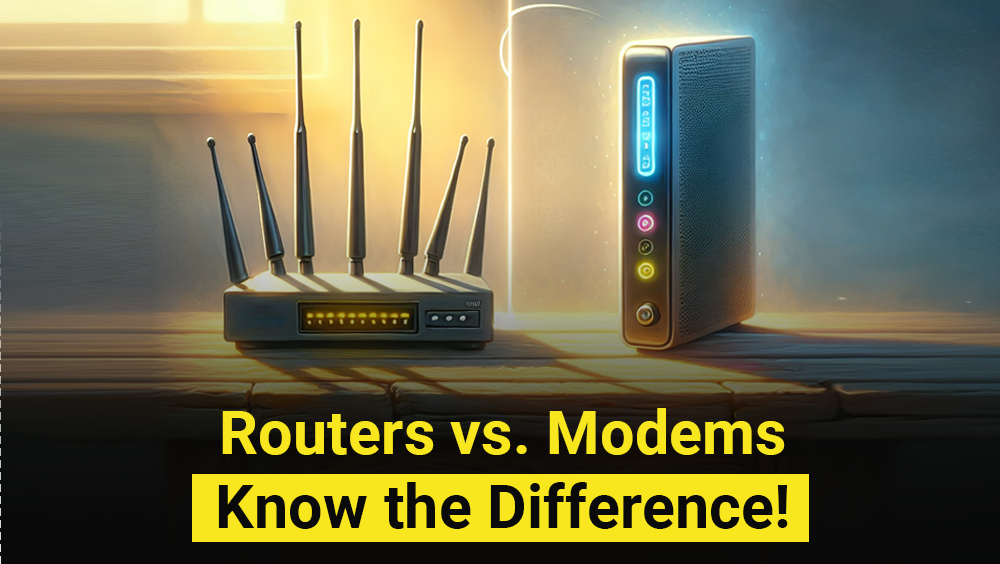
A few years back, modems and routers were on-ramps to the information superhighway, growing more powerful each year. And today, we can’t even imagine a day without getting connected to any of these devices to fulfill our daily Internet needs. Most people rely on their home network to access the Internet, yet many are unaware of how these networks function. Have you ever wondered, “What’s the difference between a modem and a router?” Simply put, a modem brings the Internet to your home, while a router brings the Internet to your devices. With a modem, your home network can communicate with your internet service provider (ISP). On the other hand, the router disperses this internet connection to all devices within your home.
While these devices serve different purposes, it’s still important to understand the difference. This blog will break down the main difference between modem and router so you can optimize your network better.
While home users typically need just one of each, enterprises — particularly banks, NBFCs, and retail chains — deploy modems and routers as part of a larger, layered network architecture that includes managed switches, firewalls, and access points to meet security and compliance requirements.
What is Modem?
A modem (also known as modulator-demodulator), acts as a translator between your devices and the internet. Let’s understand more about its function.
A modem essentially converts the digital data from your computer (1s and 0s) into a format suitable for transmission over physical lines such as phone or coaxial cables. This format is usually analog signals similar to different sound waves. This process is called modulation.
On the other end, it also performs the reverse, changing analog signals back to digital data so your devices can understand.
Modem also helps you connect to the ISP (Internet Service Provider). ISP is a big pool of information, and modem acts like your personal access card. It enables a connection with ISP’s network, so you can access a vast library of information online.
Think of a modem as a bridge for data flow. Anything that you access, be it an email, video or any website you visit- all this information travels back and forth between your devices and ISP’s network with the help of modem.
What is Router?
Router is the brain behind your network’s traffic flow. Unlike a modem, which bridges the gap to the internet, a router acts as a traffic director for your network. It acts like a digital post office, which receives data packages (think of tiny envelopes containing information) addressed to specific devices on your network (laptop, mobile, etc.)
To decipher where each packet has to go, the router uses IP addresses (unique online identifiers). It then directs data packages efficiently through wired or wireless connections to the intended destination. This ensures smooth flow of communication between your local networks.
You might have experienced congestion when several devices share a single internet connection. Traffic management becomes important here and a router plays an important role to prevent congestion so everyone receives data on time. Imagine a house party where the router is the host, ensuring everyone gets what they need (data packets) on time and without confusion.
Recommended Read: How To Position Your Wi-Fi Router For Optimal Performance?
What is the Key Difference Between Modem and Router?
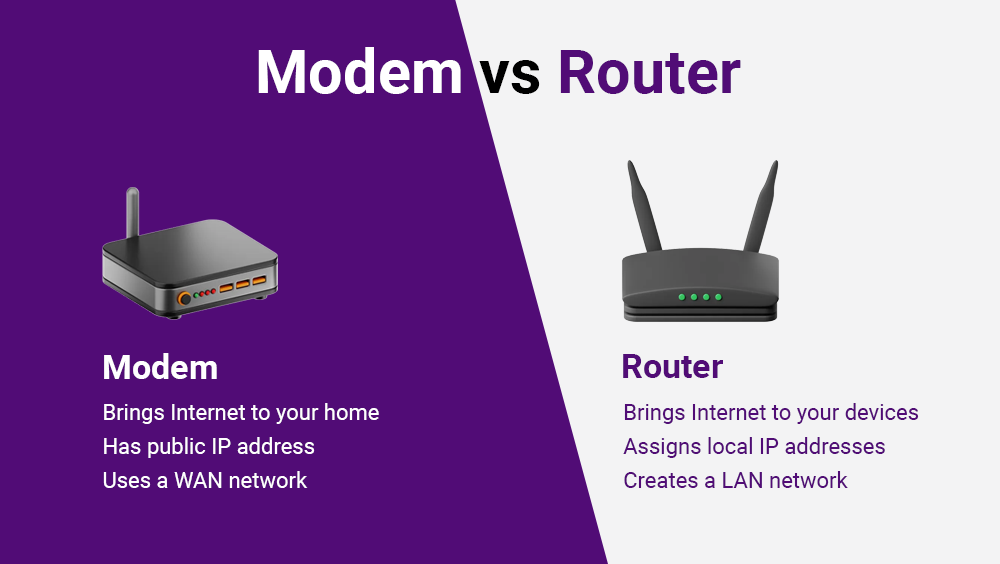
Here’s the table summarizing the key differences between modem vs. router:
Both modem and router, despite the differences, work together to bring the internet world to your device seamlessly. Without the modem, you wouldn’t have an internet signal to translate. Without the router, your devices wouldn’t understand the signal or be able to communicate with the internet.
Modems and Routers in Enterprise and Banking Networks
In enterprise deployments — particularly in banking, financial services, and insurance (BFSI) — the modem-router relationship is just one layer of a multi-tier network stack. A bank branch network, for example, typically combines:
- A modem/ONT to receive the WAN connection from the ISP or MPLS backbone
- An enterprise router for secure inter-branch routing and firewall policies
- A managed L2/L3 switch for VLAN segmentation between teller systems, ATMs, and guest Wi-Fi
- An access point for WPA3-secured wireless connectivity for staff and customers
This layered architecture ensures that critical systems like Core Banking, SWIFT, and RTGS remain isolated from general internet traffic — a key requirement under RBI's Cyber Security Framework, and the foundation of IO by HFCL's banking network solutions, built for zero-trust branch deployments.
Choosing the Right Device
Below listed are a few things to consider when selecting a modem and a router for your network.
Choosing a Modem:
1.Compatibility
Make sure the modem supports your internet service provider (ISP) and connection type (cable, DSL, fiber). You can usually find the list of approved modems on your ISP’s website.
2.Speed
The modem’s speed is crucial. Ideally it should match or exceed your current internet plan, leaving scope for future upgrades. Consider download and upload speed for activities like gaming, video conferencing.
3.Features
Look for features like multiple Ethernet ports for wired connections or future-proofing with the latest DOCSIS standards for cable modems.
Choosing a Router:
1. Coverage
Router clearly mentions the square footage it covers. However, the effective range is less than mentioned because of walls, insulation and electronic devices which interfere with the wireless signals. So even if the router covers the entire area there might be some areas in your house that will receive a poor signal (which also means poor speed) than others. It is where you need powerful routers offering extra coverage. This is where powerful routers with extra coverage or mesh networking technologies come in for larger spaces.
2. Speed
The router should be able to handle the speed of your internet service. If your internet speed is in gigabits and your router can only support up to 500Mbps, it isn’t worth the money.
A key specification while choosing a router is the wireless standard used. This will be mentioned as “802.11” followed by some letters. Below are some common standards you’ll come across:
- 802.11n, or (Wi-Fi 4), which can handle speeds up to 300 Mbps
- 802.11ac (or Wi-Fi 5) which can handle maximum of 3.5 Gbps (theoretical)
- 802.11ax (or Wi-Fi 6) can handle up to 9.6 Gbps (theoretical)
3. Security
Choose a router with WPA3 encryption — it uses SAE (Simultaneous Authentication of Equals) to prevent brute-force attacks, unlike WPA2's vulnerable PSK handshake. For enterprise and banking environments, look beyond basic encryption: network segmentation via VLANs, RADIUS-based authentication, and support for Zero Trust policies are non-negotiable security features.
Conclusion
This article clears up modem vs. router confusion. Consider a modern-router combo for easier setup and potentially lower cost.
These combos offer everything you need. Also these combos can handle the fastest internet speed while letting you stream, play games and browse with ease.
Before you choose, however, make sure you understand the difference between modem and routers. This will help you make informed decisions and enjoy seamless internet connectivity.





.svg)